


MagicEdit
All-in-one AI image editing toolbox for creative image enhancement and manipulation.
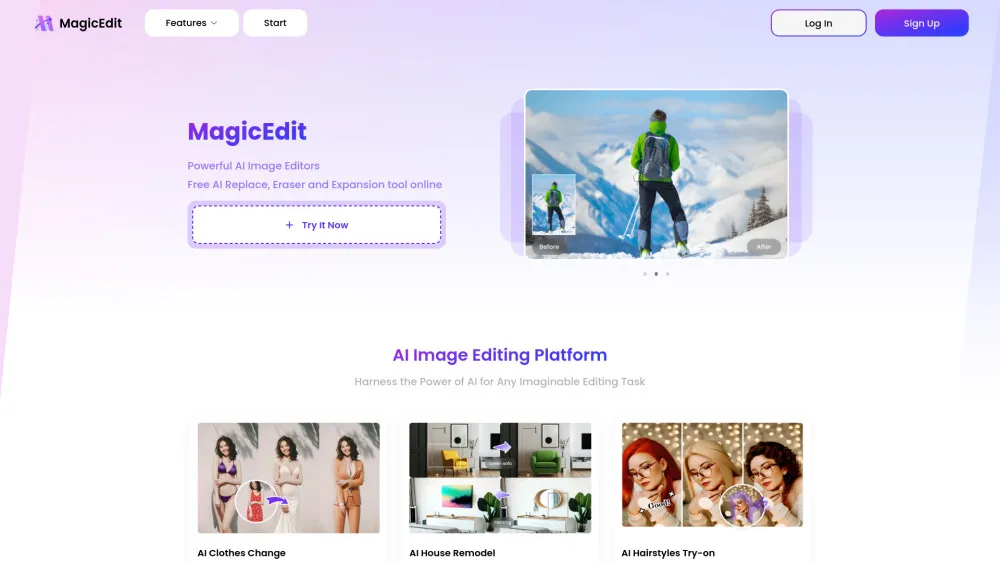
MagicEdit is an all-in-one AI image generating toolbox that makes your images stand out with just a few simple steps. It offers endless creativity for artists, photography enthusiasts, and anyone who loves editing. It provides tools like object remover, image replacer, and image extender.
How to User
- Use MagicEdit by selecting the desired tool (object remover, image replacer, or image extender), uploading your image, and following the on-screen instructions. For example, to remove an object, simply highlight it and let the AI erase it. To replace an object or background, use the prompt feature.
Key Features
- AI Object Remover
- AI Image Replacer
- AI Image Extender
- AI Clothes Changer
- AI Background Replace
- AI Hairstyles Try-on
Use Cases
- Remove unwanted objects or people from photos.
- Replace clothing styles in images.
- Extend image backgrounds to fit specific aspect ratios.
- Remodel houses virtually by replacing furniture.
- Try on different hairstyles virtually.
- Remove watermarks or logos from images.
- Create panoramic images with extended horizons.
FAQ
What can MagicEdit do?
MagicEdit is a comprehensive AI-powered image editing suite. It allows users to remove unwanted objects or people, replace backgrounds, change clothing styles, try on virtual hairstyles, extend image borders, erase watermarks, and virtually remodel spaces by swapping furniture—all through simple, AI-assisted steps.
How do I remove unwanted objects from my photos?
To remove an unwanted object, simply upload your image to MagicEdit, select the 'Object Remover' tool, highlight the object you wish to erase, and let the AI handle the rest. It will intelligently fill in the background for a seamless result.
Can I change the background of my image?
Yes, absolutely. Using the 'AI Background Replace' feature, you can upload your photo, specify the new background via a text prompt or by selecting a template, and MagicEdit's AI will accurately segment the subject and place it onto the new background.
Is there a way to try on different hairstyles before getting a haircut?
Yes, MagicEdit's 'AI Hairstyles Try-on' feature allows you to upload a selfie and virtually try on a wide variety of hairstyles. This helps you visualize different cuts and colors before making any permanent changes at the salon.
Featured AI Tools





Pricing Plan
Provides basic access to AI image editing tools with limited credits or features.
AI Alternatives
Anime Art Studio
A free AI anime generator that turns text into anime art using various models and styles.


FantasyGF.ai
AI girlfriend platform for creating and interacting with personalized AI companions.

My Dreams Studio
NSFW AI nude image generator with text-to-image and AI ChatBot features.