
Deepfake Maker
An online AI tool for creating deepfake face swaps in photos, GIFs, and videos for free.
Deepfake Maker is an online AI-powered tool that allows users to create deepfake face swaps in photos, GIFs, and videos. It offers a free and watermark-free service, enabling users to easily swap faces using AI technology. The tool supports multiple face swaps and video face swaps, with additional AI tools like AI Face Morpher, NSFW AI Art Generator, AI Clothes Remover, AI 18+ Generator, Uncensored AI Art Generator, and AI Hentai Generator. Deepfake Maker prioritizes user privacy by not saving uploaded photos or generated images.
How to Use
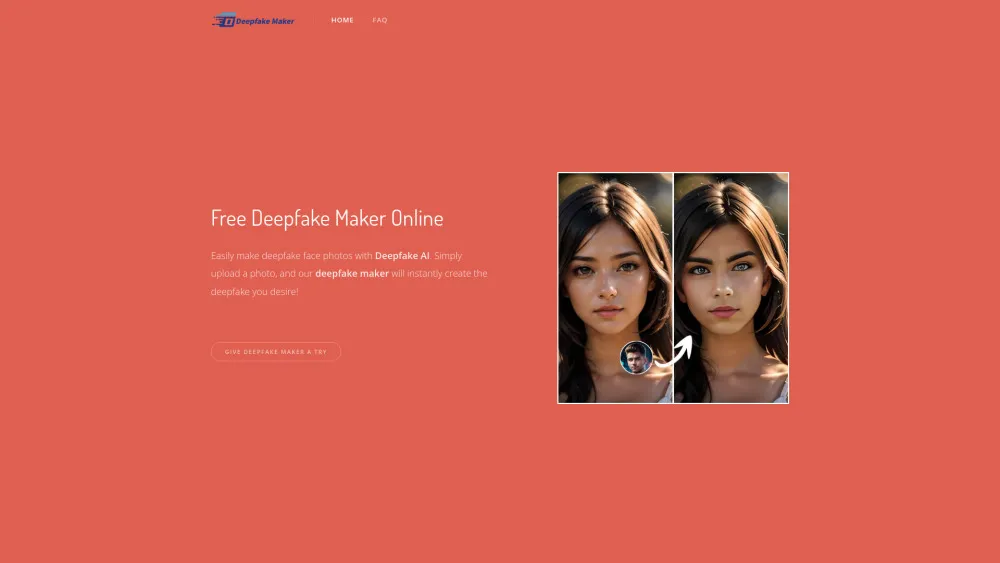
- To use Deepfake Maker, upload a source image with a face and a target face photo. The AI will then generate a face swap. Ensure the uploaded images are clear for better results. The generation process takes only 2-5 seconds.
Key Features
- AI Face Swap
- Multiple Face Swap
- Video Face Swap
- GIF Face Swap
- Gender Swaps with AI
Use Cases
- Create fun face swap photos for entertainment
- Generate realistic face swap videos and GIFs
- Experiment with gender swaps in photos
- Create memes and expressive content
FAQ
What is a Deepfake Maker?
Deepfake Maker is an online artificial intelligence tool designed to create realistic face swaps in photographs, animated GIFs, and video content. It leverages advanced machine learning algorithms to seamlessly replace a face in existing media with another, producing convincing and often entertaining deepfake results, all accessible through a simple web interface.
How to download face swap photos generated by Deepfake Maker?
After the AI completes the generation process (typically 2-5 seconds), the resulting face-swapped image will be displayed on the platform. You should see a clear download button or option (often an icon resembling a downward arrow or the word 'Download') directly on that page. Clicking it will save the processed photo to your device. The service is free and watermark-free.
What photo formats does our Deepfake Maker support?
Deepfake Maker supports all common image file formats for upload, including JPG, JPEG, PNG, and WebP. It's recommended to use clear, high-quality images for the best swapping results. The generated/downloaded images are typically provided in a standard, widely compatible format like JPG or PNG.
Is your Deepfake Maker privacy safe?
Yes, Deepfake Maker prioritizes user privacy. According to its policy, the service does not save or store the photos you upload or the deepfake images it generates on its servers. The processing is done temporarily to create your output, after which your data is not retained, giving you control over your content.
Can I use your deepfake maker for free?
Absolutely. Deepfake Maker is a completely free-to-use online tool. You can create face swaps in photos, GIFs, and videos without any cost, subscription, or watermarks on the final output. There are no hidden fees for its core face-swapping functionality.
Featured AI Tools





Pricing Plan
Free access to core AI face swap features for photos, GIFs, and videos without watermarks. Includes multiple swaps and gender swap experiments.
AI Alternatives

My Lovely AI
MyLovely AI is a platform for creating and interacting with customizable AI girlfriends, capable of immersive conversations, image, and video generation.
VISIT


Deep Swap Face
An AI-powered online platform for free face and body swaps in photos, videos, and GIFs.
VISIT

Dream Companion
An NSFW AI roleplay platform for immersive experiences with realistic AI companions and image generation.
VISIT