PixAI.Art Review 2026: Is It Worth Your Time?
The Core Promise: What is PixAI.Art?
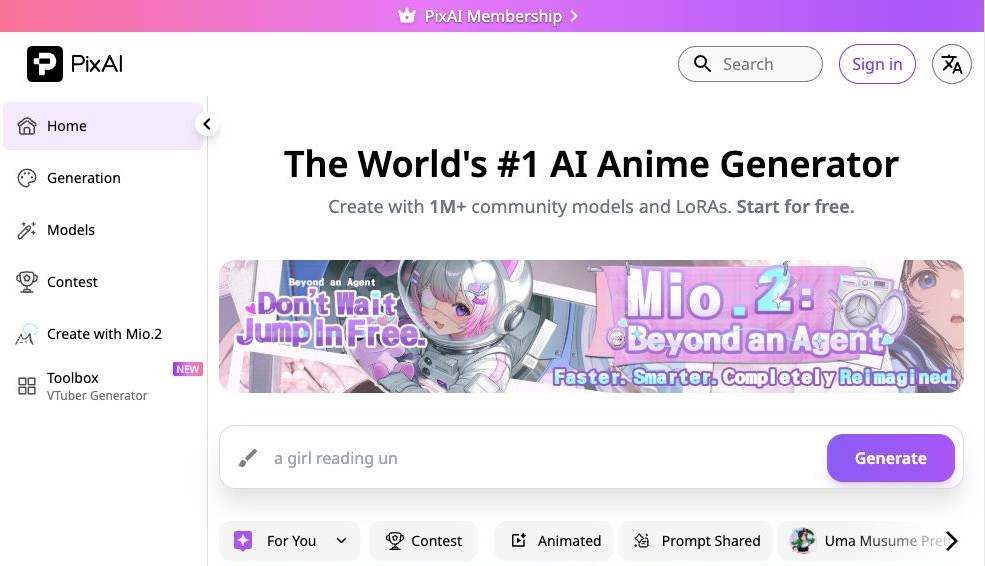
PixAI.Art is an AI image generation platform built specifically for anime, manga, and game-inspired artwork. Unlike general-purpose AI image generators, it focuses almost entirely on Japanese-style illustrations while maintaining a strictly safe-for-work (SFW) community.
Rather than requiring users to own powerful GPUs or install complex Stable Diffusion environments, PixAI.Art provides a cloud-based experience that works directly in a browser or through its iOS and Android apps.
Its biggest selling points include:
- High-quality anime image generation
- Text-to-video and image-to-video animation tools
- Custom LoRA and AI model training
- Large community model marketplace
- Daily free credits for casual creators
The platform primarily targets anime enthusiasts, illustrators, VTuber creators, game artists, and hobbyists who want consistent anime-style artwork without managing their own AI infrastructure.
Deep-Dive: Key Features & Real-World Performance
Anime Generation Quality
PixAI.Art clearly specializes in anime aesthetics instead of trying to become a universal image generator.
Its flagship Tsubaki.2 model consistently produces:
- expressive anime faces
- polished line art
- vibrant color palettes
- attractive lighting
- recognizable manga composition
Compared with many SDXL-based general generators, PixAI.Art requires far less prompt engineering to achieve authentic anime results.
For users creating original characters, fan art, wallpapers, or social media illustrations, output quality is among the platform's strongest advantages.
However, realism is not its focus. Anyone looking for cinematic photography or photorealistic portraits will likely find other platforms more suitable.
Video Generation
One of PixAI.Art's biggest additions in 2026 is its integrated AI video generation suite.
Users can create animations using:
- Text-to-Video
- Image-to-Video
- Animated GIF generation
The workflow is surprisingly approachable for beginners.
Instead of configuring multiple third-party tools, creators can stay inside one interface for both still images and animations.
Animation quality is generally good for stylized anime content, although motion consistency still depends heavily on the source artwork and prompt quality.
Professional animation studios should not expect frame-perfect production outputs, but for social media clips, VTuber content, and promotional animations, the feature performs well.
Custom LoRA Training
PixAI.Art offers one of the most accessible custom model ecosystems among anime-focused AI platforms.
Subscribers can train private LoRAs based on:
- original characters
- personal art styles
- costume collections
- facial designs
- recurring visual themes
Support for DiT, SDXL, and Stable Diffusion 1.5 provides flexibility rarely found on beginner-friendly services.
Another welcome feature is that trained models remain available even after a subscription expires, protecting users from losing months of creative work.
The main limitation is that monthly LoRA training quotas depend on subscription tier, so heavy creators may eventually need one of the higher-priced plans.
Workflow & User Experience
PixAI.Art succeeds because it removes much of the complexity typically associated with AI art generation.
The interface includes:
- ControlNet
- Reference Pro
- Inpainting
- Upscaling
- Multi-LoRA support
- Prompt customization
- Community galleries
Most features are logically organized, making the learning curve relatively gentle compared with running Stable Diffusion locally.
Performance consistency is also impressive.
Turbo Mode dramatically reduces waiting times for paid subscribers, while free users may occasionally encounter slower generation speeds during busy periods.
Community Ecosystem
Unlike many standalone AI generators, PixAI.Art functions as both a creation platform and an art-sharing community.
Users can:
- browse thousands of public artworks
- discover community models
- rate LoRAs
- complete daily missions
- earn additional credits
- share creations publicly
For newcomers who struggle with prompt writing, this ecosystem significantly lowers the barrier to entry by making successful prompts and models easy to discover.
The Good & The Bad (Pros vs. Cons)
| Pros | Cons |
|---|---|
| Outstanding anime and manga image quality | Not designed for realistic photography |
| Excellent collection of community models and LoRAs | Advanced features require a paid subscription |
| Built-in video generation tools | Free users may experience slower generation queues |
| Supports custom model training | Monthly LoRA training limits vary by plan |
| Beginner-friendly interface | Less flexible than running Stable Diffusion locally |
| Native mobile apps and responsive web version | Strict SFW policy may not suit every creator |
How PixAI.Art Compares to Competitors
PixAI.Art vs Novel AI
Novel AI remains one of the strongest competitors for anime image generation thanks to its mature prompting system and storytelling tools.
PixAI.Art, however, offers a significantly larger community ecosystem, integrated AI video generation, and more accessible custom LoRA training.
Novel AI may appeal more to writers, while PixAI.Art is generally stronger for visual creators.
PixAI.Art vs Civitai
Civitai excels as an open community for sharing Stable Diffusion models.
PixAI.Art focuses instead on providing an all-in-one creation platform where users can generate images, train models, edit artwork, and publish creations without installing local software.
Users who want maximum customization may still prefer Civitai combined with local Stable Diffusion, but PixAI.Art delivers a much smoother experience for most creators.
PixAI.Art vs SeaArt AI
SeaArt AI supports many artistic styles beyond anime.
PixAI.Art remains more specialized.
Its flagship models generally produce more authentic anime aesthetics with less prompt engineering, while SeaArt offers greater versatility across realistic, fantasy, and illustration workflows.
For dedicated anime artists, PixAI.Art usually provides the more consistent experience.
Who Should (and Shouldn't) Use This?
Ideal for:
- Anime artists
- Manga creators
- VTuber creators
- Fan art enthusiasts
- Original character (OC) designers
- Mobile AI art users
- Beginners learning AI image generation
- Creators who want cloud-based AI without GPU hardware
Avoid if:
- You primarily generate photorealistic images.
- You require unrestricted NSFW generation.
- You prefer fully open-source, self-hosted AI workflows.
- You need enterprise-level API integrations or advanced automation pipelines.
- You want unlimited free generation without credit restrictions.
Final Verdict & Rating
Overall Rating: 9.1/10
PixAI.Art has established itself as one of the strongest anime-focused AI art platforms available in 2026.
Its greatest strengths are performance consistency, polished anime models, an active creator community, integrated video generation, and an approachable workflow that removes much of the technical complexity associated with Stable Diffusion.
It isn't the perfect choice for every creator. Professionals who need photorealistic outputs, unrestricted content generation, or deep technical customization may find other platforms better suited to their needs.
For everyone else—especially anime fans, character designers, and creators who want high-quality anime artwork without managing local AI software—PixAI.Art delivers excellent long-term value.
Recommendation: Buy if anime illustration is your primary focus and you expect to create content regularly. The free plan is generous enough for casual experimentation, while the Starter subscription offers one of the best value-to-feature ratios among dedicated anime AI generators in 2026.
Related AI Tools

Pix AI
An AI-powered platform dedicated to generating safe-for-work anime-style art, animations, videos, and custom models.